

Code Formatters
📝 Course Notes
Key knowledge points from this lesson:
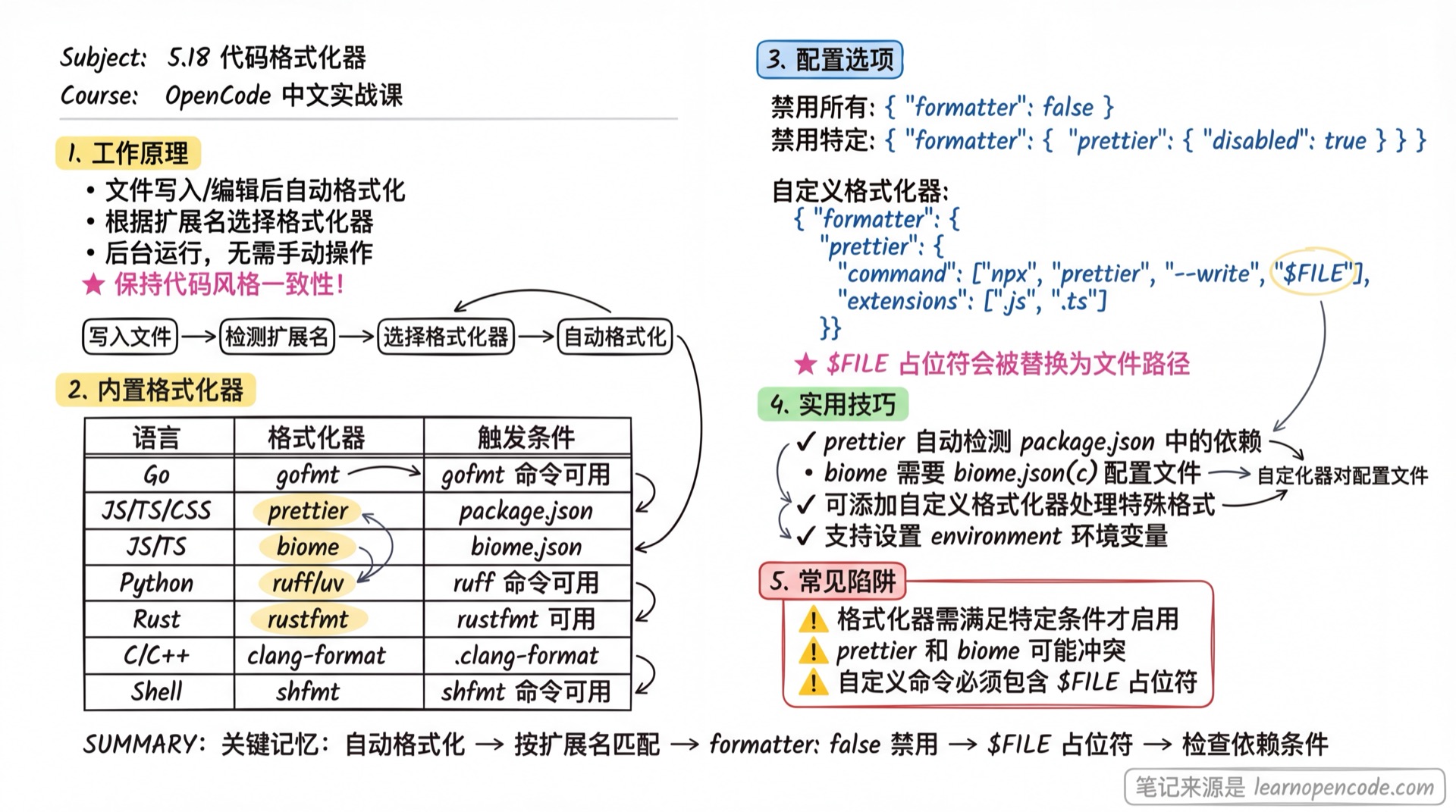
OpenCode automatically uses language-specific formatters after files are written or edited. This ensures that generated code follows your project's code style.
Built-in Formatters
OpenCode includes built-in formatters for many popular languages and frameworks:
| Formatter | Extensions | Requirements |
|---|---|---|
| gofmt | .go | gofmt command available |
| mix | .ex, .exs, .eex, .heex, .leex, .neex, .sface | mix command available |
| prettier | .js, .jsx, .ts, .tsx, .html, .css, .md, .json, .yaml, etc. | prettier dependency in package.json |
| biome | .js, .jsx, .ts, .tsx, .html, .css, .md, .json, .yaml, etc. | biome.json(c) config file exists |
| zig | .zig, .zon | zig command available |
| clang-format | .c, .cpp, .h, .hpp, .ino, etc. | .clang-format config file exists |
| ktlint | .kt, .kts | ktlint command available |
| ruff | .py, .pyi | ruff command available and configured |
| rustfmt | .rs | rustfmt command available |
| uv | .py, .pyi | uv command available |
| rubocop | .rb, .rake, .gemspec, .ru | rubocop command available |
| standardrb | .rb, .rake, .gemspec, .ru | standardrb command available |
| htmlbeautifier | .erb, .html.erb | htmlbeautifier command available |
| air | .R | air command available |
| dart | .dart | dart command available |
| ocamlformat | .ml, .mli | ocamlformat command available and .ocamlformat config exists |
| terraform | .tf, .tfvars | terraform command available |
| gleam | .gleam | gleam command available |
| nixfmt | .nix | nixfmt command available |
| shfmt | .sh, .bash | shfmt command available |
| oxfmt (experimental) | .js, .jsx, .ts, .tsx | oxfmt dependency in package.json and experimental env var enabled |
If your project has prettier in its package.json, OpenCode will automatically use it.
How It Works
When OpenCode writes or edits a file:
- Checks all enabled formatters based on file extension
- Runs the appropriate formatting command
- Automatically applies formatting changes
This process happens in the background, ensuring code style is maintained without manual intervention.
Configuration
Customize formatters through the formatter section in your config file:
{
  "$schema": "https://opencode.ai/config.json",
  "formatter": {}
}
Each formatter configuration supports the following options:
| Property | Type | Description |
|---|---|---|
disabled | boolean | Set to true to disable this formatter |
command | string[] | Formatting command |
environment | object | Environment variables when running the formatter |
extensions | string[] | File extensions this formatter handles |
Disabling Formatters
Globally disable all formatters:
{
  "$schema": "https://opencode.ai/config.json",
  "formatter": false
}
Disable a specific formatter:
{
  "$schema": "https://opencode.ai/config.json",
  "formatter": {
    "prettier": {
      "disabled": true
    }
  }
}
Custom Formatters
You can override built-in formatters or add new ones:
{
  "$schema": "https://opencode.ai/config.json",
  "formatter": {
    "prettier": {
      "command": ["npx", "prettier", "--write", "$FILE"],
      "environment": {
        "NODE_ENV": "development"
      },
      "extensions": [".js", ".ts", ".jsx", ".tsx"]
    },
    "custom-markdown-formatter": {
      "command": ["deno", "fmt", "$FILE"],
      "extensions": [".md"]
    }
  }
}
The $FILE placeholder in the command will be replaced with the path of the file being formatted.
Related Resources
- LSP Servers - Code intelligence support
- Configuration Reference - Complete configuration options